Explain Information Security in simple terms, and you will understand how to protect your personal information, digital devices, and important files from online threats. Today, people use the internet for banking, shopping, communication, education, and business. These activities make life easier, but they also create opportunities for cybercriminals to steal or misuse private information.
Information security is the practice of protecting data against unauthorized access, changes, disclosure, damage, or loss. It applies to personal devices, business networks, websites, databases, and cloud platforms. Whether you use the internet occasionally or manage a company, learning information security basics can help you make safer decisions.
The good news is that protecting information does not always require advanced technical knowledge. Simple habits, reliable security tools, and careful online behavior can reduce many common threats. This guide explains the key principles of information security and nine practical ways to improve your digital safety.
What Is Information Security?
Information security, often shortened to InfoSec, refers to the policies, processes, and technologies used to protect information. Its main purpose is to ensure that data remains private, accurate, and available to authorized people.
For example, a password helps prevent strangers from opening your email account. Encryption protects sensitive files by making their contents unreadable without the correct key. Access permissions allow a business to control which employees can view confidential records.
To explain information security fully, it is important to understand that it is not limited to computers. Printed documents, financial records, employee details, customer information, and confidential conversations also need protection.
Explain Information Security Through the CIA Triad
The CIA triad is a basic framework used to understand the three main goals of information security. It includes confidentiality, integrity, and availability. Each principle protects information in a different way.
1. Confidentiality
Confidentiality means that information should only be available to people who have permission to access it.
For example, a bank statement should only be viewed by the account holder and authorized bank employees. Passwords, encryption, and access permissions help protect confidential information.
2. Integrity
Integrity means keeping information accurate, complete, and protected from unauthorized changes.
Imagine a company storing customer payment records. If someone changes those records without permission, the business could face financial and operational problems. Audit logs, access controls, and data validation help maintain information integrity.
3. Availability
Availability means that authorized users can access information and systems when they need them.
For example, a hospital needs reliable access to patient records. If its systems stop working because of a technical failure or cyberattack, important services may be delayed. Secure backups, maintenance, and recovery plans help keep information available.
These three principles work together. Information should remain private, accurate, and accessible to the right people.
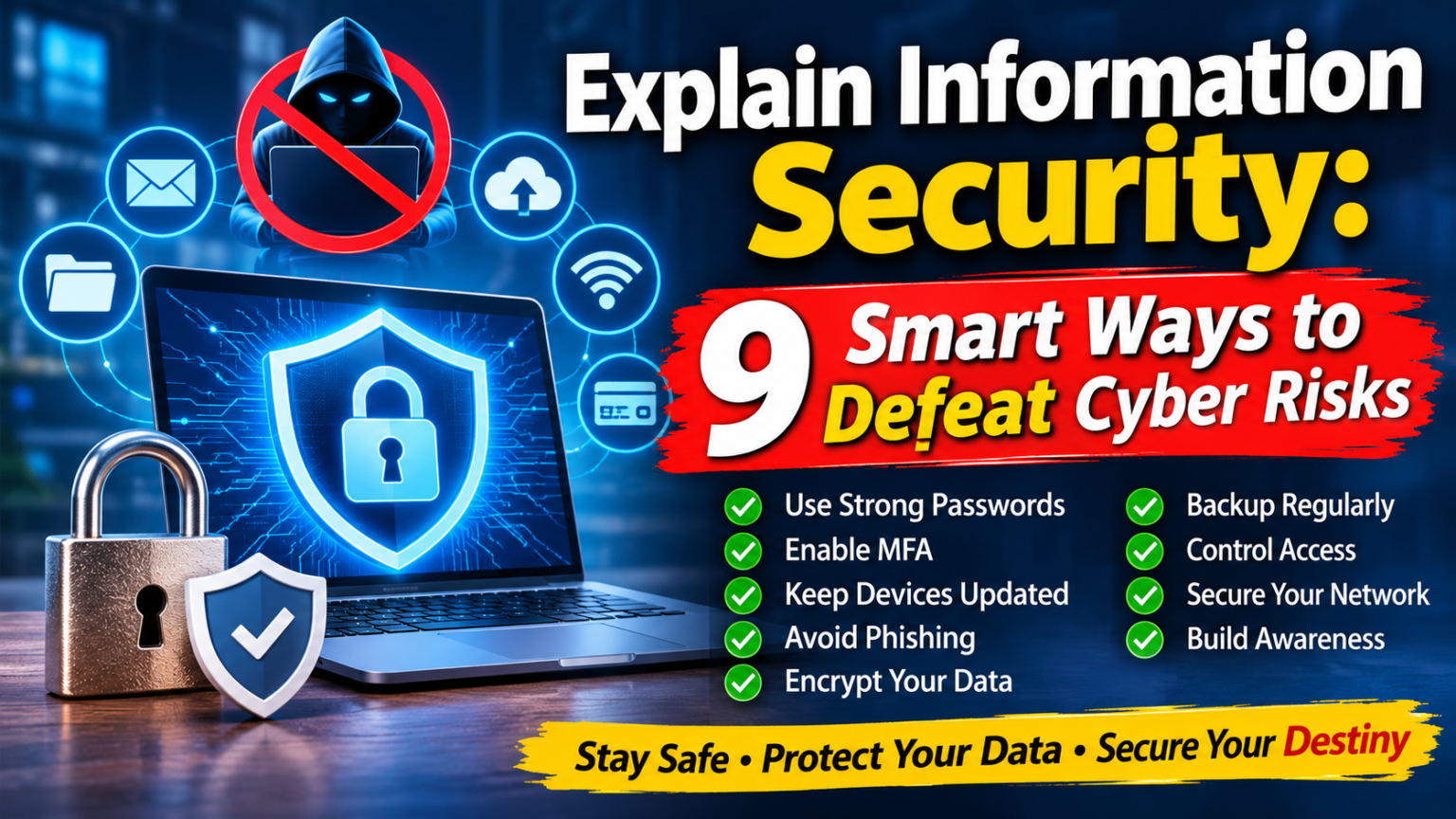
9 Smart Ways to Improve Information Security and Prevent Cyber Risks
Knowing the basic principles is only the beginning. Applying them consistently helps protect information in everyday situations. Here are nine practical steps that individuals and organizations can follow.
1. Create Strong and Unique Passwords
Weak or reused passwords make online accounts easier to compromise. If one website experiences a data breach, attackers may try the same password on other services.
Create a different, long password or passphrase for every important account. Avoid obvious details such as your name, birthday, or phone number. A trusted password manager can generate and store unique passwords securely.
Never share passwords through unverified emails or messages. If a service supports passkeys, consider using them because they can provide stronger protection against common password-based attacks.
2. Enable Multi-Factor Authentication
A password alone may not provide enough protection. Multi-factor authentication (MFA) adds another verification step before someone can access an account.
For example, after entering a password, a service may ask you to approve the login through an authentication app or another verification method. This extra step can make unauthorized access more difficult, even if someone obtains your password.
Enable MFA on your email, banking, social media, and business accounts whenever it is available. Where possible, choose stronger options such as security keys or passkeys.
3. Keep Your Devices and Software Updated
Software updates often include important security fixes. Outdated operating systems, browsers, mobile applications, and other programs may contain weaknesses that attackers can exploit.
Turn on automatic updates when practical and install important security patches promptly. Do not ignore update notifications for long periods.
Businesses should maintain an update schedule and keep track of the devices and applications employees use. Unsupported software should be replaced because it may no longer receive essential security fixes.
4. Recognize and Avoid Phishing Attacks
Phishing is a common technique in which criminals send deceptive emails, text messages, or social media messages to steal information. These messages often appear to come from trusted companies or people.
For example, an email may claim that your bank account will be blocked unless you click a link immediately. Another message might pretend to be from a delivery company and ask you to confirm payment details.
Check the sender’s address, examine links carefully, and avoid unexpected attachments. If a message claims to come from your bank, visit the bank’s official website directly instead of following the message link.
The official CISA phishing guidance explains common warning signs and recommends reporting and deleting suspicious messages.
5. Encrypt Sensitive Information
Encryption converts readable information into coded data that cannot easily be understood without the correct decryption key.
It helps protect information stored on devices and transferred between systems. For example, device encryption can protect files if a laptop or phone is lost or stolen.
Individuals should use available device encryption and secure websites. Businesses should consider encryption for confidential customer records, financial documents, employee information, and backups.
Encryption is not a complete security solution on its own. It works best alongside strong passwords, access controls, and other protective measures.
6. Back Up Important Data Regularly
Important information can disappear because of accidental deletion, hardware failure, ransomware, or other unexpected incidents. Regular backups make it easier to recover files.
Keep backup copies in a secure location separate from your main device or network. Businesses should consider multiple backup copies and protect them from unauthorized access.
Do not assume that a backup is working simply because a system reports success. Test the restoration process regularly to make sure the files can actually be recovered.
7. Limit Access to Sensitive Information
Not everyone needs access to every file, account, or system. Giving people unnecessary permissions increases the chances of accidental exposure or misuse.
Organizations should follow the principle of least privilege. This means employees receive only the access they need to perform their responsibilities.
For example, a marketing employee may need campaign documents but should not automatically have access to confidential payroll records. Businesses should review permissions regularly and remove access when employees change roles or leave.
8. Secure Your Wi-Fi and Network
An unsecured network can expose connected devices and create opportunities for unauthorized access.
Use a strong password for your home Wi-Fi and change the router’s default login details. Keep router firmware updated and choose modern security settings supported by your equipment.
When using public Wi-Fi, be cautious about accessing sensitive accounts. Check that websites use HTTPS and consider a trusted VPN when appropriate. A VPN can help protect network traffic in certain situations, but it does not replace other security measures.
Businesses should separate guest Wi-Fi from internal networks and monitor activity for unusual behavior.
9. Build Security Awareness and Review Your Practices
Technology cannot prevent every security problem. People also play an important role in protecting information.
Employees should learn how to identify suspicious messages, handle confidential files, report unusual activity, and follow company security policies. Regular training helps make safer behavior part of everyday work.
Individuals can also improve their habits by reviewing account activity, checking privacy settings, and learning about common online scams.
Information security is an ongoing responsibility. Regular reviews help identify weaknesses before they become serious problems.
Why Information Security Matters for Individuals and Businesses
Information security protects more than passwords and computer files. It helps safeguard personal privacy, financial records, business operations, and customer trust.
For individuals, good security habits can reduce the chances of identity theft, account takeovers, and unauthorized access to private information. They also make everyday activities such as online shopping and banking safer.
For businesses, protecting information supports operational stability and helps maintain customer confidence. A security incident can interrupt services, expose confidential records, and create recovery costs. Strong security practices help organizations manage these risks.
Businesses that handle sensitive information should also understand relevant legal, contractual, and industry requirements. Their responsibilities depend on the type of information they collect and the locations in which they operate.
Information Security vs. Cybersecurity: Understanding the Difference
Information security and cybersecurity are closely connected, but they are not exactly the same.
Information security protects information in all forms, including digital files, printed documents, and verbal records. Cybersecurity focuses more specifically on protecting digital systems, networks, devices, and online information from cyber threats.
For example, locking a filing cabinet helps protect physical documents and supports information security. Installing network protection helps defend digital systems and supports cybersecurity.
Both areas are important. Organizations often use them together to create a stronger security program.
Responsible information protection also involves privacy and ethics. Businesses should avoid collecting unnecessary personal data and should handle sensitive information carefully. You can learn more about this subject in our guide to Big Data and the Ethics of Cybersecurity.
Common Information Security Mistakes to Avoid
Even people who understand security basics can make mistakes. Some common problems include:
- Reusing the same password across several accounts.
- Ignoring software and security updates.
- Clicking unexpected links without checking the sender.
- Sharing confidential information through unapproved channels.
- Giving employees more access than their jobs require.
- Keeping no backup copies of important files.
- Assuming antivirus software alone provides complete protection.
Avoiding these mistakes does not require complicated technology. It requires awareness, consistent habits, and regular reviews.
The Future of Information Security
Information security continues to change as technology develops. Cloud computing, artificial intelligence, connected devices, and remote work create new ways to store and share information. They also introduce new security challenges.
Organizations are increasingly focusing on identity protection, stronger authentication, continuous monitoring, and faster incident response. Individuals also need to stay aware of evolving scams and privacy concerns.
No single tool can guarantee complete protection. A combination of technology, clear policies, employee awareness, and responsible decisions provides a stronger foundation.
Your digital destiny should not depend on luck. Building good security habits today can help protect your information as technology and online threats continue to change.
Frequently Asked Questions About Information Security
What is information security in simple words?
Information security means protecting information from unauthorized access, misuse, changes, damage, or loss. It helps keep data private, accurate, and available to authorized users.
What are the three main principles of information security?
The three main principles are confidentiality, integrity, and availability. Together, they are known as the CIA triad.
Why is information security important?
It helps protect personal information, financial records, business data, and customer details. It also reduces the likelihood and potential impact of security incidents.
What are common information security threats?
Common threats include phishing, malware, ransomware, stolen passwords, unauthorized access, insider misuse, and data breaches.
How can beginners improve information security?
Beginners can start by using unique passwords, enabling multi-factor authentication, updating devices, avoiding suspicious links, backing up important files, and reviewing account permissions.
Conclusion
Understanding information security is essential in a connected world. It helps protect personal details, business records, and other valuable information from unauthorized access, damage, and misuse.
The nine practices in this guide provide a practical starting point: use strong passwords, enable MFA, update software, recognize phishing, encrypt sensitive data, create backups, control access, secure networks, and build security awareness.
You do not need to make every change at once. Start with the accounts and information that matter most, then improve your habits over time. Consistent action can make your digital life safer and help reduce avoidable risks.