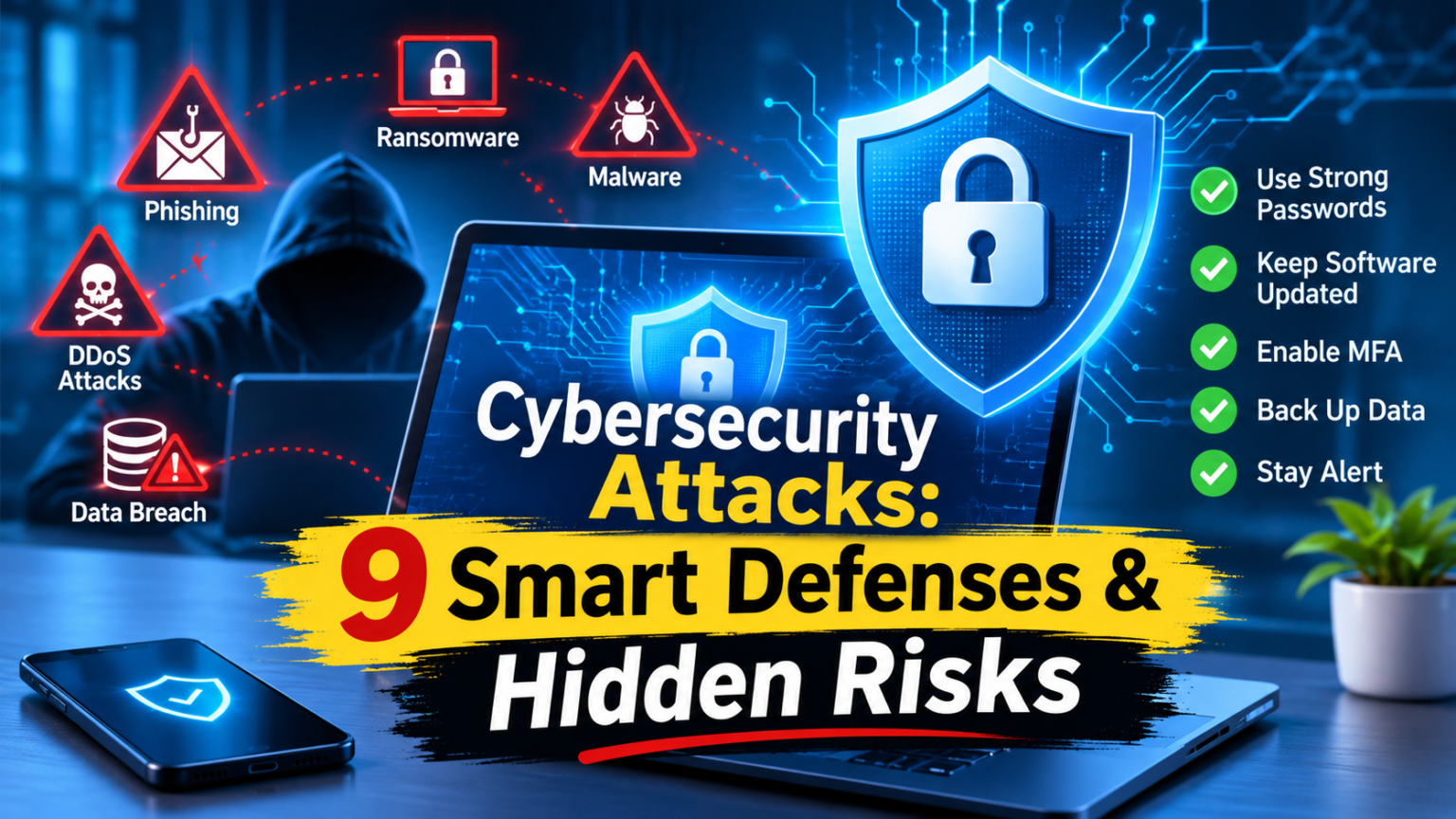
Cybersecurity attacks are a serious threat to individuals, businesses, educational institutions, and government organizations. Attackers use different techniques to steal sensitive information, damage computer systems, disrupt online services, or gain unauthorized access to digital accounts. Even a single successful attack can cause financial losses, privacy problems, and long-term damage to an organization’s reputation.
Some attacks begin with a deceptive email, while others exploit weak passwords, outdated software, or insecure networks. Understanding these methods can help people recognize warning signs and protect their digital information.
This guide explains nine common types of cybersecurity attacks, real-world examples, their possible consequences, and practical ways to prevent them.
What Are Cybersecurity Attacks?
Cybersecurity attacks are deliberate attempts to access, damage, disrupt, or misuse computers, networks, applications, and digital information without permission.
Attackers may target individuals to steal passwords, financial details, or personal records. Businesses may face attacks designed to obtain confidential information, interrupt operations, or demand ransom payments.
The people behind these incidents can include cybercriminals, organized groups, malicious insiders, and other threat actors. Their motivations may involve financial gain, espionage, disruption, or data theft.
Not every attack requires advanced technical skills. Sometimes, a convincing fake message or a reused password is enough to expose an account.
9 Common Types of Cybersecurity Attacks
Cyber threats use different methods to exploit people, devices, and networks. Knowing how these attacks work makes it easier to identify suspicious activity.
1. Phishing Attacks
Phishing is a social engineering technique in which attackers send deceptive emails, messages, or website links to trick people into revealing sensitive information.
A message may appear to come from a bank, delivery company, employer, or familiar online service. It may ask the recipient to verify an account, reset a password, or respond to an urgent request.
Example: An employee receives an email that looks like a Microsoft account security alert. The link opens a fake login page that captures the employee’s password.
How to prevent phishing:
- Check the sender’s email address carefully.
- Avoid opening unexpected attachments.
- Visit websites using a trusted address instead of an unfamiliar link.
- Enable multifactor authentication.
- Report suspicious messages to the relevant security team.
The Cybersecurity and Infrastructure Security Agency provides practical recommendations in its Phishing Guidance: Stopping the Attack Cycle at Phase One.
2. Ransomware Attacks
Ransomware is malicious software that can encrypt files or systems and prevent their owners from accessing important information. Attackers demand payment in exchange for a claimed decryption key. Some also threaten to publish stolen data.
Example: An employee opens a harmful attachment. Ransomware spreads through parts of the company’s network, making important business files unavailable.
How to prevent ransomware:
- Keep operating systems and applications updated.
- Maintain regular, protected backups.
- Restrict access to sensitive systems.
- Use reputable endpoint security tools.
- Train employees to recognize suspicious messages and files.
Organizations should also test their backup and recovery procedures instead of assuming that saved files will always be usable.
3. Malware Attacks
Malware is a general term for harmful software designed to steal information, spy on users, disrupt devices, or provide unauthorized access.
Viruses, worms, spyware, and trojans are common malware categories. They can enter devices through unsafe downloads, malicious attachments, compromised websites, or infected removable drives.
Example: A user downloads a program from an unfamiliar website. The installer secretly adds spyware that collects information from the device.
How to prevent malware:
- Download applications from official sources.
- Use updated security software.
- Avoid unknown attachments and downloads.
- Remove applications you no longer need.
- Keep browsers and operating systems updated.
4. Distributed Denial-of-Service (DDoS) Attacks
A Distributed Denial-of-Service attack attempts to overwhelm an online service, website, or network with excessive traffic from multiple sources. Its purpose is to make the service slow or unavailable to legitimate users.
Example: An online shopping website receives a flood of malicious requests during a busy sales period. Customers struggle to open product pages or complete purchases.
How to prevent DDoS attacks:
- Use suitable DDoS protection services.
- Work with hosting providers that offer traffic filtering.
- Monitor unusual traffic patterns.
- Prepare an incident response plan.
- Use scalable infrastructure where appropriate.
5. Man-in-the-Middle Attacks
A man-in-the-middle attack occurs when an attacker secretly intercepts or interferes with communication between two parties. The attacker may attempt to read information or alter data while it is being transmitted.
Public or poorly secured networks can increase exposure, particularly when users ignore browser security warnings or access sensitive services through unsafe connections.
Example: A user connects to a malicious Wi-Fi hotspot designed to imitate a legitimate public network. The attacker attempts to intercept the user’s online activity.
How to prevent these attacks:
- Use trusted, secure networks.
- Avoid sensitive transactions on suspicious public Wi-Fi.
- Check for HTTPS and valid website certificates.
- Use a reputable VPN when appropriate.
- Never ignore unexpected security warnings.
6. Password and Credential Attacks
Credential attacks involve attempts to obtain or misuse usernames, passwords, and other login information. Common techniques include brute-force attempts, password spraying, and credential stuffing.
Credential stuffing uses usernames and passwords stolen from one service to attempt access to other accounts. It can succeed when people reuse passwords across websites.
Example: An attacker obtains login details from an earlier data breach and tries the same combination on a shopping account.
How to prevent credential attacks:
- Create a unique password for every important account.
- Use a reputable password manager.
- Enable multifactor authentication.
- Avoid sharing login details.
- Change compromised passwords promptly.
7. SQL Injection Attacks
SQL injection occurs when an attacker places malicious database commands into an application input that has not been handled safely. If the application is vulnerable, those commands may interfere with database operations or expose information.
Example: An attacker submits specially crafted text through a vulnerable website form. The application incorrectly processes the input as part of a database query.
How to prevent SQL injection:
- Use parameterized queries.
- Validate and handle input safely.
- Follow secure coding practices.
- Limit database account permissions.
- Test applications for vulnerabilities.
8. Zero-Day Exploits
A zero-day exploit targets a software vulnerability that the vendor or developer may not yet have had an opportunity to fix. These weaknesses can be difficult to defend against because a security patch may not be available when exploitation begins.
Example: Attackers exploit a previously unknown weakness in a widely used application before its developer releases a security update.
How to reduce the risk:
- Install security updates as soon as they become available.
- Use multiple layers of protection.
- Restrict unnecessary access and services.
- Monitor systems for unusual behavior.
- Follow trusted security advisories.
9. Insider and Supply Chain Attacks
Not every security threat comes from an unknown person outside an organization. An insider threat can involve an employee, contractor, or other trusted person who misuses legitimate access, either intentionally or accidentally.
A supply chain attack targets a supplier, software provider, or service that another organization depends on. Attackers may compromise a trusted vendor to reach its customers.
Example: An employee with access to confidential files sends them to an unauthorized person. In another situation, attackers compromise a software provider and attempt to distribute a malicious update to its customers.
How to prevent these attacks:
- Give employees access only to the information they need.
- Review user permissions regularly.
- Remove access when someone leaves an organization.
- Assess the security practices of important vendors.
- Monitor unusual account and system activity.
- Verify software updates and use trusted suppliers.
Real-World Examples of Cybersecurity Attacks
Real incidents show how cyber threats can affect organizations, customers, and essential services.
WannaCry ransomware (2017): This widespread ransomware outbreak affected computers in many countries. It disrupted organizations, including healthcare services, and demonstrated the danger of systems that had not received available security updates.
Target data breach (2013): Attackers accessed payment-card information and other customer data. The incident highlighted how weaknesses involving third-party access can create risks for larger businesses.
Colonial Pipeline ransomware incident (2021): A ransomware attack disrupted the company’s business operations and led to a temporary shutdown of its pipeline operations. It showed how a cyber incident can affect services beyond computer systems.
These examples demonstrate why organizations need preventive controls, incident response plans, and reliable recovery procedures.
How to Prevent Cybersecurity Attacks
Strong cybersecurity depends on several layers of protection. Individuals and organizations should combine secure technology, careful behavior, and regular maintenance.
1. Use Strong and Unique Passwords
Create a different password for every important account. A password manager can help generate and store strong passwords securely. Avoid using personal details that others could easily guess.
2. Enable Multifactor Authentication
Multifactor authentication (MFA) requires an additional verification method beyond a password. Depending on the service, this may involve an authenticator app, security key, or another approved method.
Where available, choose phishing-resistant authentication for important accounts.
3. Keep Software Updated
Install security updates for operating systems, browsers, applications, and connected devices. Updates often address known weaknesses that attackers may try to exploit.
Enable automatic updates where suitable, and replace software that no longer receives security support.
4. Back Up Important Data
Keep regular backups of important files and business information. Store at least one backup separately from the main system and protect it from unauthorized access.
Test backups periodically. A backup is useful only if you can restore the information when needed.
5. Train Employees and Family Members
People play an important role in cybersecurity. Teach users to recognize suspicious messages, verify unexpected payment requests, and report unusual activity.
Educational institutions should also train teachers, students, and administrative staff to use digital learning platforms safely. Schools and universities can strengthen their protection by adopting suitable education cybersecurity solutions that address student information, staff accounts, networks, and learning systems.
6. Secure Networks and Devices
Use properly configured firewalls, secure Wi-Fi settings, and reputable endpoint protection. Change default device passwords and disable services or accounts that are not required.
Businesses should also separate important systems where practical, so a problem in one area does not automatically expose the entire network.
7. Limit Access to Sensitive Information
Apply the principle of least privilege: each user should receive only the access required for their responsibilities.
Review permissions regularly, protect administrator accounts, and remove access when it is no longer needed.
8. Create an Incident Response Plan
Decide in advance who should respond to a security incident, how affected systems will be isolated, and how important services will be restored.
Keep contact details for IT staff, service providers, and relevant authorities accessible. A clear plan can reduce confusion during an emergency.
Warning Signs of a Possible Cyberattack
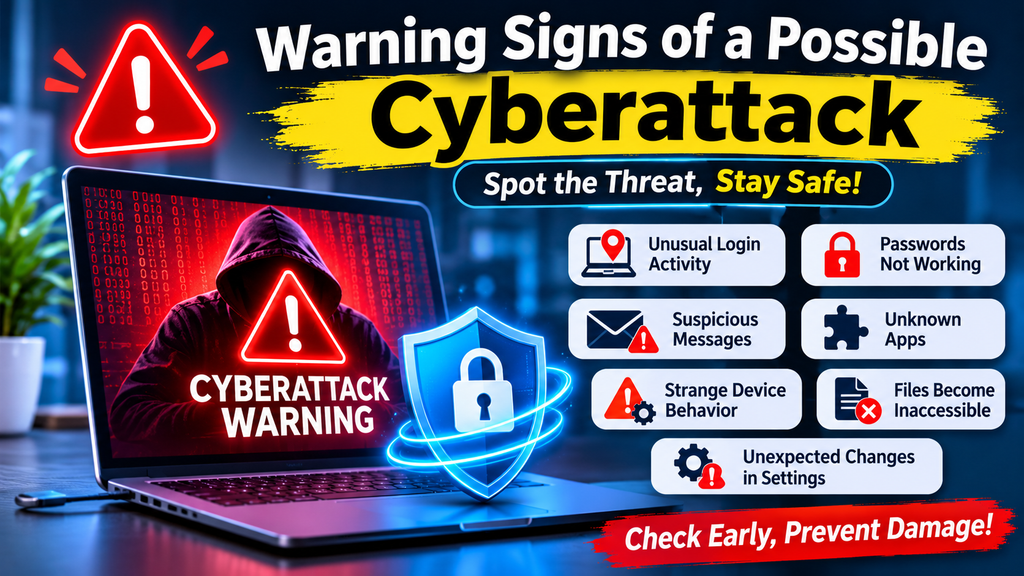
Some attacks are difficult to notice immediately, but certain changes may indicate suspicious activity.
Watch for:
- Login notifications from unfamiliar locations or devices.
- Passwords that suddenly stop working.
- Unexpected messages sent from your email or social accounts.
- Unknown applications or browser extensions.
- Unusual computer activity or unexpected system crashes.
- Files that become inaccessible or have unfamiliar extensions.
- Unexplained changes to account settings or financial transactions.
One warning sign does not always prove an attack has happened. However, it should be investigated rather than ignored.
What to Do If a Cybersecurity Attack Happens
If you suspect an attack, act quickly but avoid rushed changes that could destroy useful evidence.
- Report the incident: Contact your organization’s IT or security team. Individuals should contact the affected service provider when an account is compromised.
- Isolate affected devices: Disconnect a compromised device from the network when appropriate, while following your organization’s response procedures.
- Protect other accounts: From a trusted device, change affected passwords and review active sessions. Enable MFA if it is not already active.
- Preserve evidence: Keep suspicious emails, messages, screenshots, and relevant system details for investigation.
- Restore safely: Use clean, verified backups and address the original weakness before reconnecting affected systems.
- Seek professional support: Serious incidents may require cybersecurity specialists, legal advice, or notification to relevant authorities.
Do not assume that paying a ransom will guarantee file recovery or prevent stolen information from being disclosed. Follow professional incident response guidance.
Advantages of Cybersecurity Awareness and the Challenges of Prevention
Cybersecurity attacks do not offer benefits to victims. However, learning about them and investing in prevention can provide important advantages.
Advantages of strong cybersecurity awareness:
- Helps people recognize suspicious activity earlier.
- Reduces the likelihood of common account compromises.
- Supports protection of private and business information.
- Helps organizations prepare for service disruptions.
- Builds safer online habits among employees and customers.
Challenges to consider:
- Security tools, training, and professional support can require money and time.
- Software and devices need regular updates and maintenance.
- Employees may find security procedures inconvenient if they are poorly designed.
- New vulnerabilities and attack methods continue to emerge.
- Even well-protected systems cannot be guaranteed completely safe.
The goal is not to promise perfect protection. It is to reduce avoidable risks, detect problems earlier, and improve recovery when an incident occurs.
Frequently Asked Questions
1. What are the most common cybersecurity attacks?
Common examples include phishing, ransomware, malware, DDoS attacks, password attacks, SQL injection, and man-in-the-middle attacks. Insider threats and supply chain compromises can also put organizations at risk.
2. What is the difference between malware and ransomware?
Malware is the general term for harmful software. Ransomware is a specific type of malware that can lock or encrypt data and demand payment for its release.
3. Can cybersecurity attacks affect individuals?
Yes. Individuals can lose access to accounts, have personal information stolen, experience financial fraud, or have their devices infected with malicious software.
4. What is the best way to prevent cyberattacks?
There is no single solution. Use unique passwords, enable MFA, install updates, maintain protected backups, secure networks, and learn how to identify suspicious messages.
5. What should I do if my account is hacked?
Use a trusted device to change the password, secure the associated email account, end unfamiliar sessions, enable MFA, and contact the service provider. If financial information may be affected, contact your bank promptly.
Conclusion
Cybersecurity attacks can target individuals, businesses, educational institutions, and essential services through phishing, ransomware, malware, credential theft, and many other methods. Their consequences may include stolen information, financial losses, interrupted operations, and damaged trust.
The best defense combines strong passwords, multifactor authentication, updated software, protected backups, employee awareness, and controlled access. It is equally important to recognize warning signs and respond quickly when something unusual happens.
No security measure can remove every risk. However, informed decisions and consistent security practices can make systems harder to compromise and help people recover more effectively. The future—and the destiny—of digital trust depends on responsible technology use, continuous learning, and stronger protection of valuable information.