What is a secure virtual private network (VPN) service? It is a technology that creates an encrypted connection between your device and a VPN server to help protect internet traffic and improve online privacy. People use VPN services when browsing on public Wi-Fi, working remotely, or accessing private business resources.
A VPN can make it harder for other parties on a local network to inspect the contents of protected traffic. It can also hide your original public IP address from the websites you visit. However, it does not make you completely anonymous or protect you from every online threat.
Understanding how VPN technology works can help you choose a reliable service and use it safely. This guide explains its features, benefits, limitations, and practical uses.
What Is a Secure Virtual Private Network (VPN) Service and Why Is It Important?
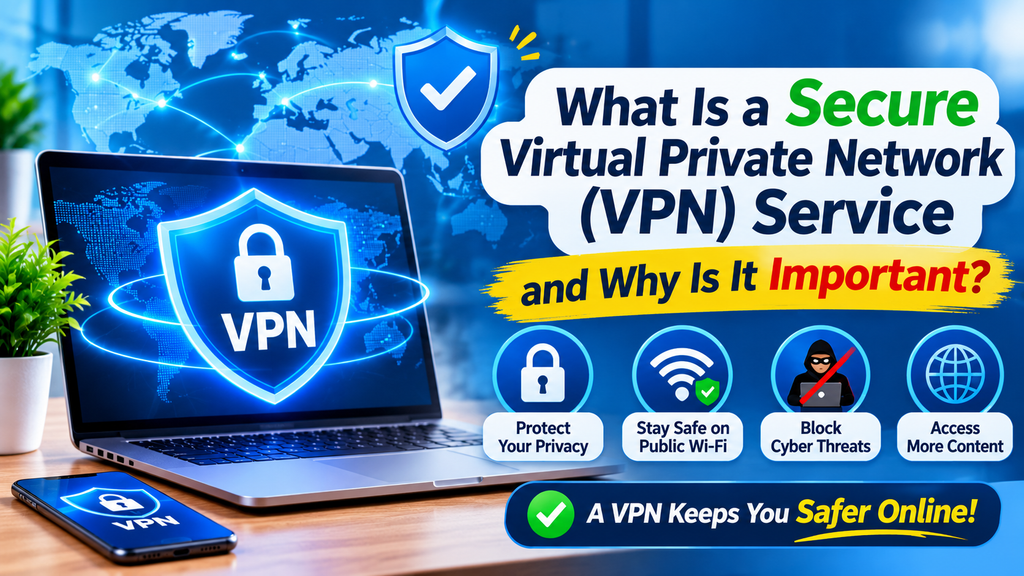
A secure virtual private network (VPN) service creates a protected connection over the internet. It routes your internet traffic through a VPN server and encrypts the connection between your device and that server.
Normally, your device connects to websites through your internet service provider (ISP). When you activate a VPN, your device first establishes an encrypted connection with the VPN server. The server then forwards your requests to the websites or online services you want to access.
As a result, websites generally see the VPN server’s IP address instead of your original public IP address. Your ISP may also have less visibility into the contents of traffic protected by the VPN tunnel.
VPN technology is useful for individuals who want additional connection privacy and organizations that need secure remote access to internal resources.
However, a VPN does not hide everything. Websites may still recognize you through account logins, cookies, browser fingerprinting, and other tracking methods.
How Does a Secure VPN Service Work?
A VPN uses encryption, authentication, tunnelling, and servers to protect information travelling between your device and the VPN endpoint.
Here is how the process generally works:
- Install a VPN application: Download a trusted VPN app on your computer, smartphone, or tablet.
- Choose a server: Select a VPN server based on your location, speed, or access requirements.
- Establish a secure connection: Your device connects to the VPN server using a supported protocol.
- Encrypt your traffic: Data covered by the VPN connection travels through an encrypted tunnel.
- Reach the destination: The VPN server forwards your request to the website or online service.
- Receive the response: The requested information returns through the VPN connection to your device.
The level of protection depends on the VPN protocol, encryption settings, provider infrastructure, and device security.
A VPN protects the connection to its server, but it does not automatically secure every application or activity on your device.
7 Powerful Benefits of Using a Secure VPN Service
A reliable VPN can improve connection privacy and support safer internet use. Here are seven important benefits.
1. Better Protection on Public Wi-Fi
Public Wi-Fi is convenient in airports, hotels, cafés, and shopping centres. However, some public networks may be poorly secured or managed by unknown parties.
A VPN encrypts traffic between your device and its server. This makes it harder for someone monitoring the same local network to read the contents of that protected traffic.
For example, if you connect to Wi-Fi in a café to check work emails, a properly configured VPN adds another layer of protection to your connection.
Still, use HTTPS websites, avoid suspicious networks, and never ignore browser security warnings. A VPN is an additional security measure, not a replacement for safe browsing.
2. Improved Online Privacy
A VPN can limit what your internet service provider or local network operator can see about the contents of your protected traffic.
It can also replace your visible public IP address with the VPN server’s IP address when you visit websites. This may reduce some forms of IP-based tracking.
However, a VPN does not stop every tracking method. Websites can still collect information through cookies, account activity, browser settings, and other technologies.
3. Safer Remote Work Connections
Remote employees often need access to company files, internal applications, and business resources outside the office.
An organization-managed VPN can create an encrypted connection between an authorized employee’s device and the company network. This helps protect information while it travels across public internet connections.
Businesses should also use multi-factor authentication, updated devices, endpoint protection, and access restrictions. A VPN alone cannot prevent every account or network attack.
4. Access to Location-Based Services
Some websites and online services display different content depending on a visitor’s apparent location.
A VPN can make your connection appear to originate from the location of its selected server. This may help when testing regional website experiences or accessing services while travelling.
However, some platforms restrict VPN connections. Using a VPN does not override their terms, licensing rules, or regional requirements.
5. Reduced Exposure to Local Network Monitoring
When your VPN is active and configured correctly, people sharing the same local Wi-Fi network generally have less ability to inspect the contents of your protected internet traffic.
This can be useful when connecting through networks you do not control. However, your VPN provider becomes an important part of your privacy arrangement because your traffic passes through its infrastructure.
That is why choosing a trustworthy provider matters.
6. More Secure Communication for Distributed Teams
Businesses with employees in different locations may use VPNs to connect authorized users to internal systems.
A business VPN can help protect communication between remote devices and company resources. Administrators can manage user access, apply security policies, and monitor connections.
For stronger protection, organizations should give each user access only to the resources required for their role. This helps limit the impact of compromised accounts.
7. Greater Control Over Your Internet Connection
Many VPN applications provide features such as server selection, automatic connection, split tunnelling, and a kill switch.
These tools give users more control over how their internet traffic is routed. For example, split tunnelling may allow selected applications to use the VPN while other applications connect directly.
Feature availability depends on the provider and operating system. Review the settings carefully before relying on a particular feature.
Important Features to Look for in a Secure VPN Service
Not every VPN service provides the same level of protection. Before choosing one, review its security features and privacy practices.
- Strong encryption: Choose a service that uses modern, well-established encryption methods and secure configurations.
- Trusted VPN protocols: Look for reputable options such as WireGuard, OpenVPN, or properly configured IPsec-based protocols.
- Kill switch: This feature can block internet traffic if the VPN connection unexpectedly drops, helping reduce accidental exposure of your normal connection.
- DNS leak protection: It helps ensure DNS requests use the intended protected connection.
- Clear privacy policy: Check what information the provider collects, how long it retains it, and whether it shares data with third parties.
- Multi-factor authentication: MFA adds another layer of protection to VPN accounts, especially in business environments.
- Regular updates: The provider should maintain its applications and infrastructure to address security issues.
- Reliable performance: Stable servers and suitable speeds make the service more practical for everyday use.
A provider’s marketing claims are not enough. Look for clear technical information, independent security assessments where available, and a privacy policy that explains its practices.
Hidden Risks and Disadvantages of VPN Services
VPNs can improve connection privacy, but they also have limitations. Understanding these risks helps you avoid unrealistic expectations.
1. You Must Trust the VPN Provider
A VPN can reduce what your ISP sees about protected traffic, but the VPN provider may be able to observe certain connection information.
This means you must consider the provider’s security controls, privacy policy, and business practices. Check whether independent audits or transparency reports are available.
2. Some Free VPNs May Collect Data
Free VPN services are not automatically unsafe, but their privacy practices and business models vary.
Some may rely on advertising, data sharing, or other methods that do not match your privacy expectations. Before installing one, check its developer, permissions, privacy policy, and independent reviews.
Avoid apps that request unnecessary access to your contacts, messages, or other personal information.
3. Internet Speed May Decrease
Your traffic takes an additional route through a VPN server. Encryption, server distance, and server capacity can also affect performance.
A nearby server with sufficient capacity may provide a better experience than a distant or overloaded one. Test the service during your normal online activities before committing to a long subscription.
4. VPN Software Can Have Security Weaknesses
VPN applications and servers can contain vulnerabilities. Outdated software, weak authentication, and poor configuration may expose users or business networks to attacks.
Organizations should keep VPN systems updated, use multi-factor authentication, monitor access, and restrict user permissions.
The National Institute of Standards and Technology (NIST) provides practical guidance in its Guide to IPsec VPNs. This publication explains how organizations can implement IPsec-based security to protect communications across networks.
5. A VPN Does Not Block Every Online Threat
A VPN is not a complete antivirus, firewall, or anti-phishing solution. It cannot guarantee protection against malicious downloads, fraudulent websites, stolen passwords, or malware already installed on your device.
Continue using security updates, reputable endpoint protection, strong passwords, and multi-factor authentication.
How to Choose the Right VPN Service
Choosing a VPN should involve more than comparing monthly prices. Consider what you need the service to do and whether the provider can support those requirements.
Start by identifying your main purpose. Personal users may want safer browsing on public Wi-Fi, while businesses may need controlled access to internal applications and company data.
Next, compare the provider’s security features. Check its encryption methods, VPN protocols, kill switch, DNS leak protection, and account security options.
Review the privacy policy before signing up. Look for clear explanations of connection logs, activity data, retention periods, and third-party sharing. Be cautious of broad claims such as complete anonymity or guaranteed protection.
Finally, test the service on your devices. Check connection stability, speed, ease of use, customer support, and compatibility with your operating system.
For business use, involve the IT or security team before deploying a VPN across the organization. A suitable setup should match the company’s access requirements and security policies.
Best Practices for Using a VPN Safely
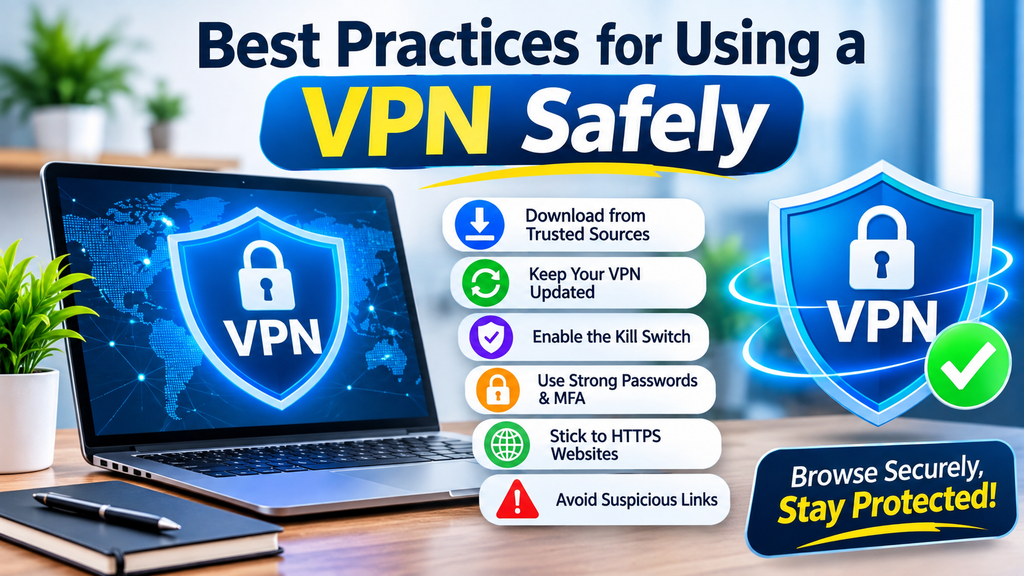
A VPN works best when it is part of a wider cybersecurity routine. Follow these practical steps:
- Download the VPN application from the provider’s official website or a trusted app store.
- Keep the VPN application and your device’s operating system updated.
- Enable the kill switch if your service provides one and it suits your needs.
- Use a strong, unique password and enable multi-factor authentication.
- Avoid unknown VPN providers that make unrealistic privacy promises.
- Continue using HTTPS websites and avoid suspicious links or downloads.
- Disconnect unused sessions and review your account’s connected devices.
VPN protection does not replace basic software security. Unverified applications, suspicious installers, and malicious downloads can still put your device at risk. For more practical advice on protecting software and devices, read Digitals Valley’s guide: How Can ShotScribus Software Be Protected?.
If you use a VPN for work, follow your organization’s access rules and contact its IT team if the connection behaves unexpectedly.
Frequently Asked Questions
What is a secure virtual private network (VPN) service used for?
It is used to encrypt internet traffic between a device and a VPN server, improve connection privacy, reduce exposure to local network monitoring, and support secure remote access to business resources.
Does a VPN make me completely anonymous?
No. A VPN can hide your original public IP address from websites and protect traffic between your device and the VPN server. However, websites may still identify you through account logins, cookies, browser fingerprinting, and other information.
Can I use a VPN on my phone?
Yes. Many reputable VPN providers offer applications for Android and iOS devices. Download the official app, review its permissions, and check its privacy policy before connecting.
Are free VPN services safe?
Some free VPNs may be suitable for limited use, but their quality and privacy practices vary. Research the provider carefully and avoid services that collect unnecessary information or make unsupported security claims.
Does a VPN protect me from viruses and hackers?
A VPN can protect data travelling through its encrypted connection, but it does not replace antivirus software, device updates, strong passwords, or safe browsing habits. You still need multiple security measures.
Conclusion
What is a secure virtual private network (VPN) service? It is a useful technology that creates an encrypted connection between your device and a VPN server, helping improve online privacy and protect internet traffic.
It can support safer public Wi-Fi use, remote work, and access to private business resources. However, it is not a complete cybersecurity solution. Provider trust, software vulnerabilities, speed limitations, and online tracking still matter.
Choose a reputable service, review its privacy practices, keep your devices updated, and combine VPN protection with other security habits. With the right approach, a secure virtual private network (VPN) service can become a valuable part of a safer digital routine.